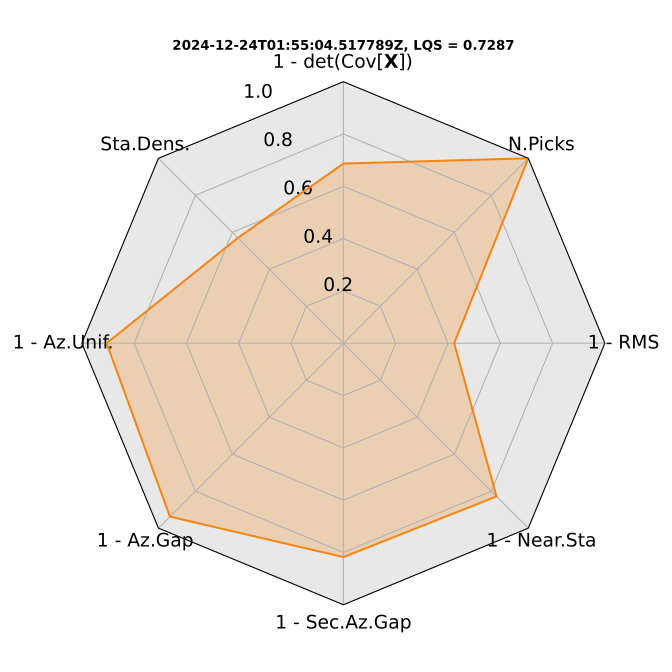
Usage
This section shows an example which should make TieBeNN’s usage clear.
Input file
Input file syntax: YYYY-MM-DDTHH:MM:SS latitude longitude
Example: 2024-12-24T01:55:04 51.337 12.548
Syntax
With the created virtual environment activated, TieBeNN follows this syntax:
tiebenn --event_file <EventFile> --max_epic_dist <MaxEpDist> --picker <Picker> --client <Client> --sds_dir <SDSDir> --min_detections <MinDetections> --plots <Plots> --vel_mode <VelMode> --velmod <VelMod> --ph_assoc <PhaseAssoc> --denoise <Denoise> --mult_windows <MultiWindows> --secs_before <SecsBef>
Parameter |
Description |
|---|---|
|
Full path to input file with preliminary epicenter (latitude, longitude) and UTC datetime. |
|
Maximum epicentral distance (in km) for stations on which phase picks will be detected. |
|
Select model for phase picking.
EQTransformer: |
|
If set to |
|
Full path to SeisComp3 directory. Required if |
|
Minimum number of stations with P- or S- picks required to complete the detection loop. |
|
If |
|
Velocity model selection mode:
|
|
Number corresponding to the velocity model used in NonLinLoc. See the current velocity model list here. Note: 3D models are supported, but not yet optimal for real-time use. |
|
Phase associator: |
|
If |
|
If |
|
If |
Note
Commands related to the use of 3D NonLinLoc velocity models is deactivated, but they are still present in the code in case someone wants to pick its development up.
To locate the event with example UTC datetime and coordinates specified above, we type in the terminal (remember to activate the virtual environment created above):
tiebenn --event_file <full_path_to_example_event> --max_epic_dist 150 --picker SeisBench_PhaseNet --client FDSN --min_detections 3 --plots True --vel_mode auto --ph_assoc PyOcto --denoise True --mult_windows True
Output
If the location was successful, you’ll see something like:
##############################################################
NonLinLoc: Location completed.
Origin time: 24-12-2024_01:55:4.517789
             Lat:51.328045 Long:12.543796 Depth: 22.685547 km
--------------------------------------------------------------
Location quality:
RMS:0.285177 Number of phases: 130 Gap: 35.032 Distance from hypocenter to nearest station: 12.077 km
Ellipsoid semi-major axis: 1.030196e+00
##############################################################
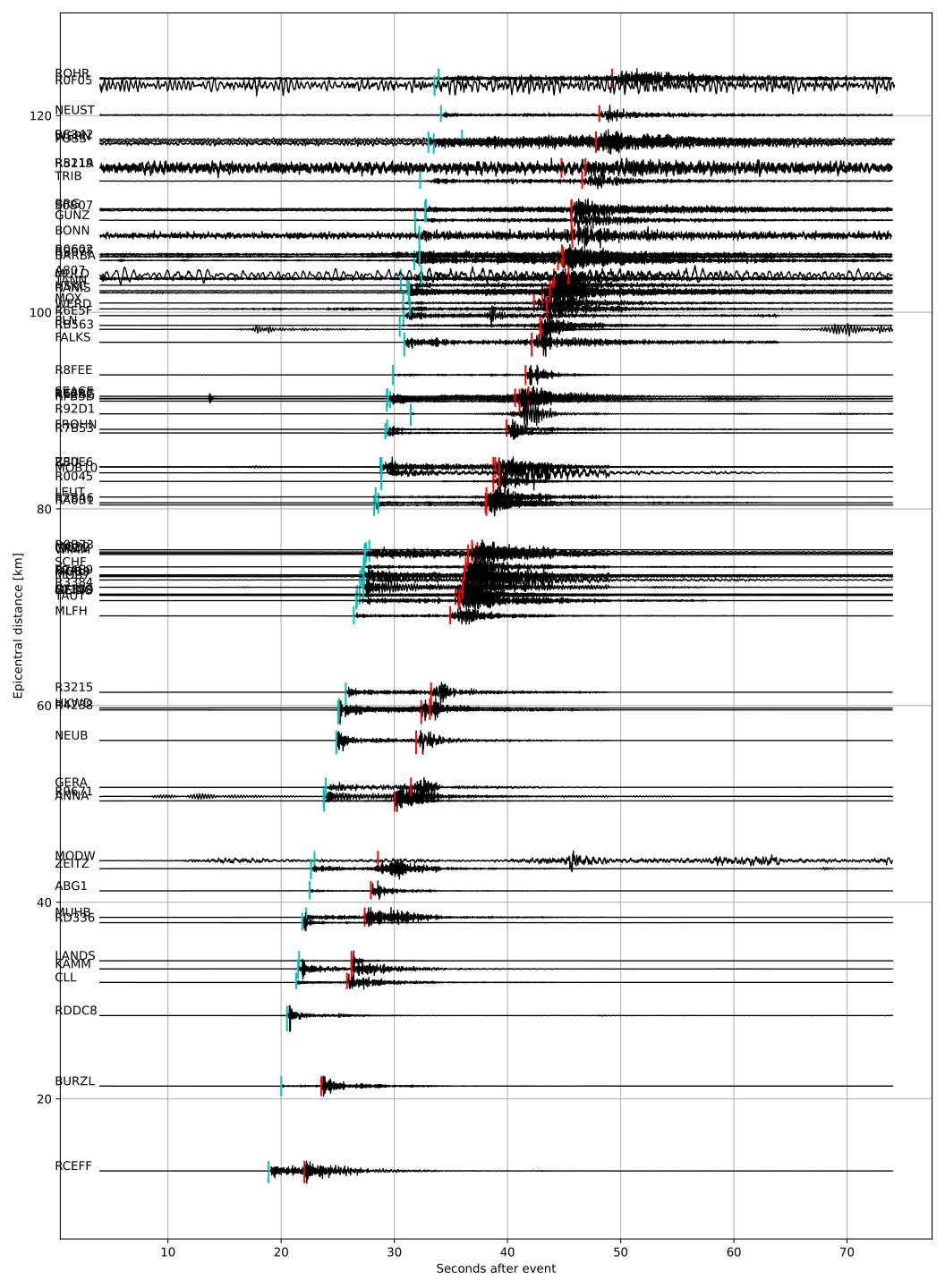
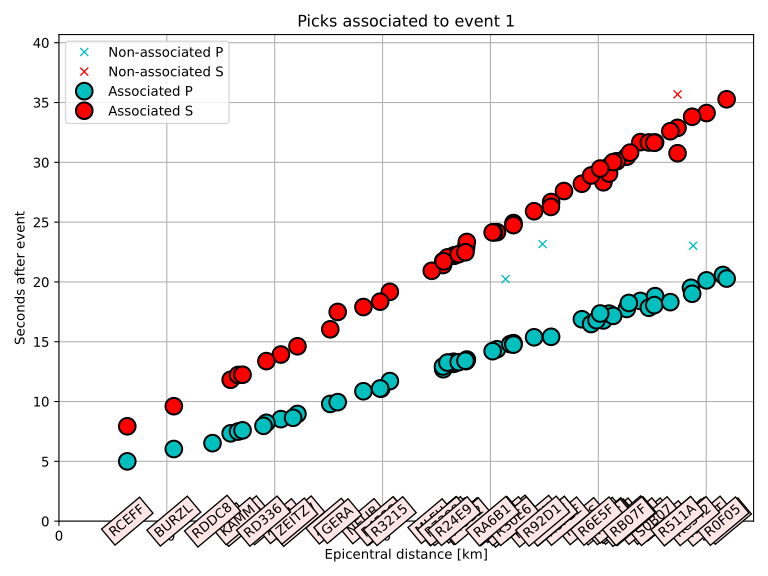
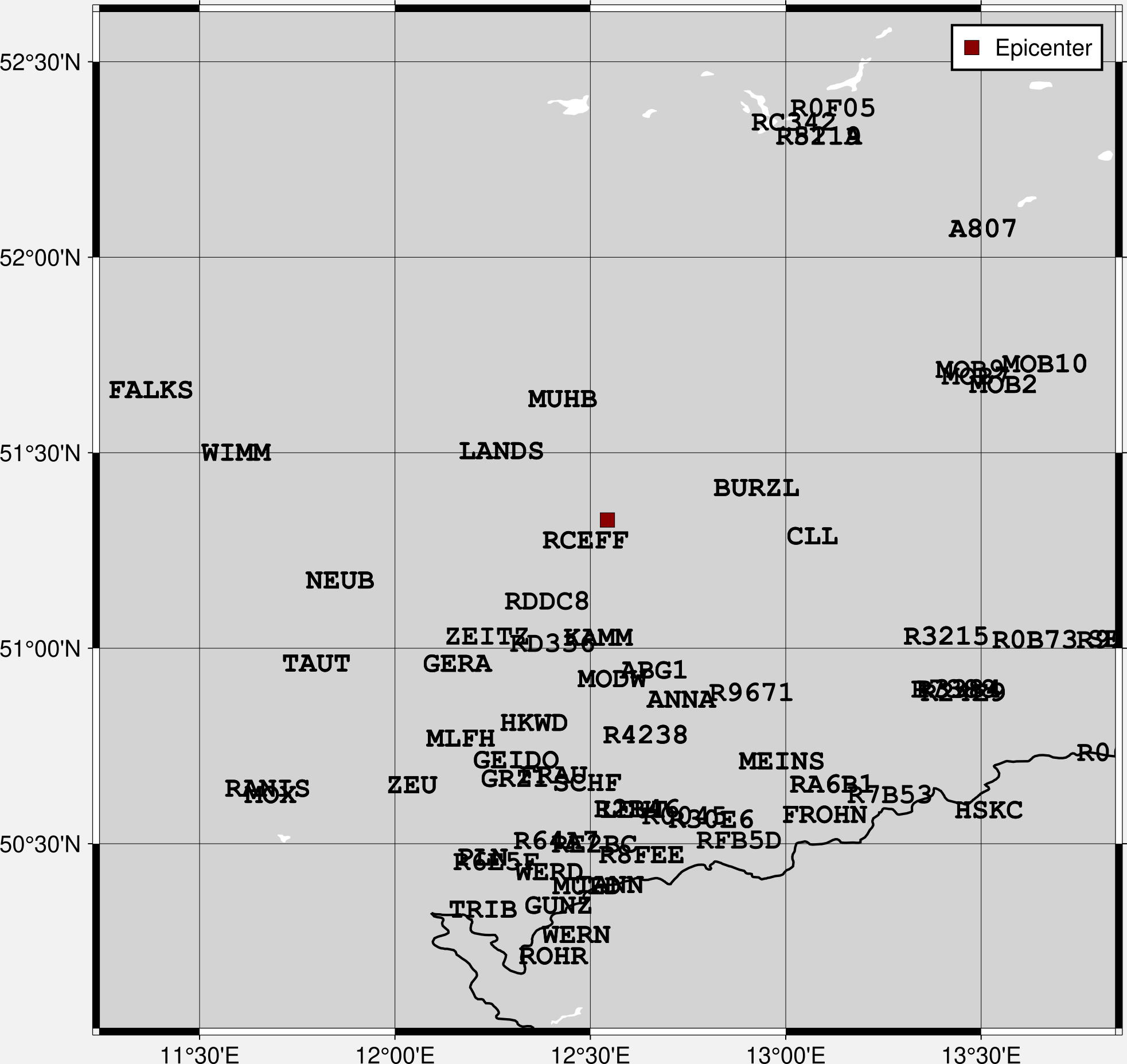
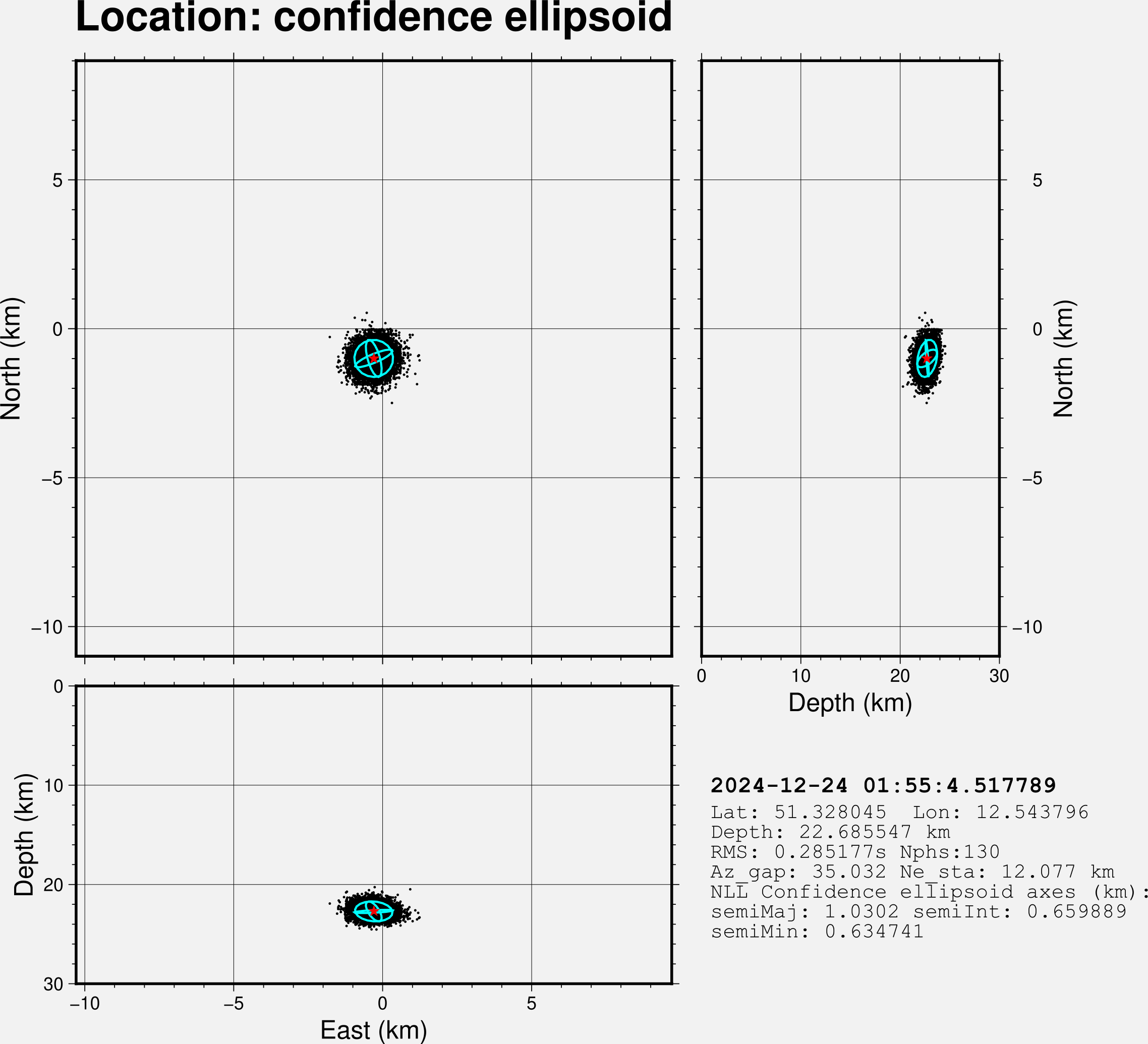
With --plots True, the following figures are also generated:
Phase picks on waveforms:
Associated phases:
Map: epicenter and stations:
Location confidence ellipsoid:
Location Quality Score: